 ListingForge
Start from the products you already have
- Browse and search your whole catalog with thumbnails
- Nothing to copy and paste into the app
- A short description? An optional notes box opens so you can add detail
For Shopify brands that also sell on Amazon
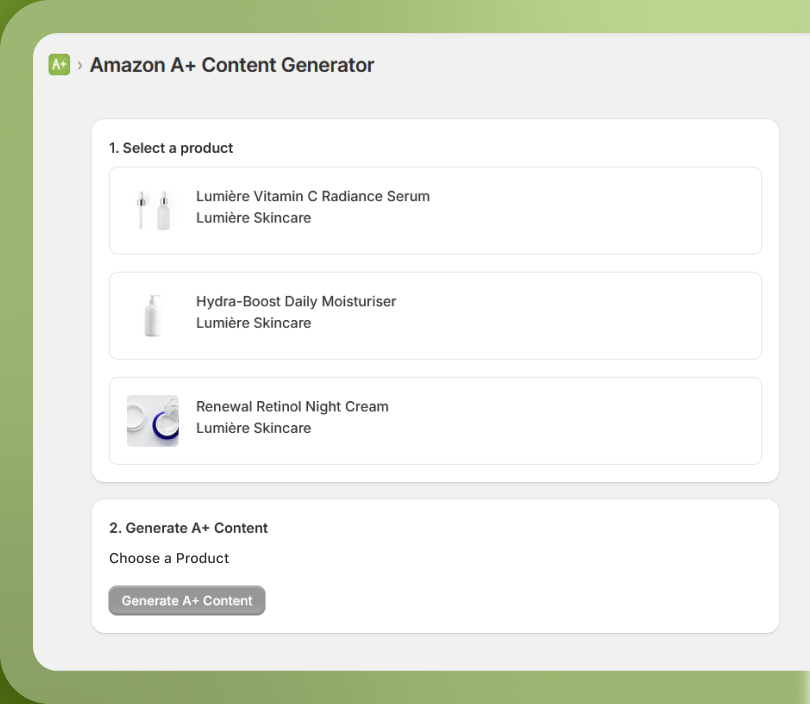
Choose a product. ListingForge reads its title, description, options and images and writes a full set of A+ modules, with every field measured against Amazon's character limits.
ListingForge is free, with 25 generations a month. You do not need an Amazon account to use the app.
What you get
You paste. You do not retype, count characters, or guess at image sizes.
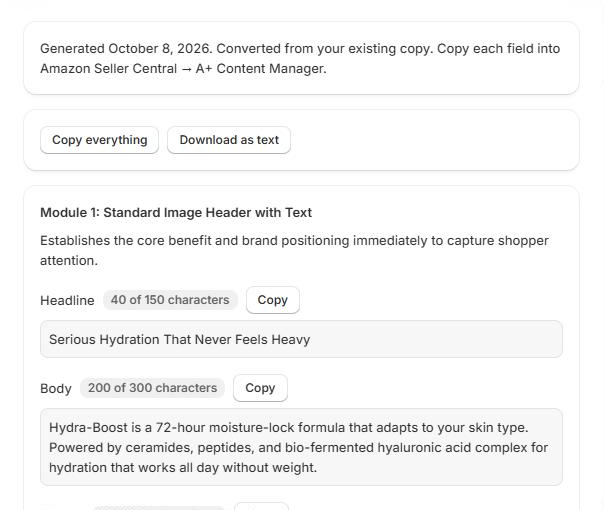
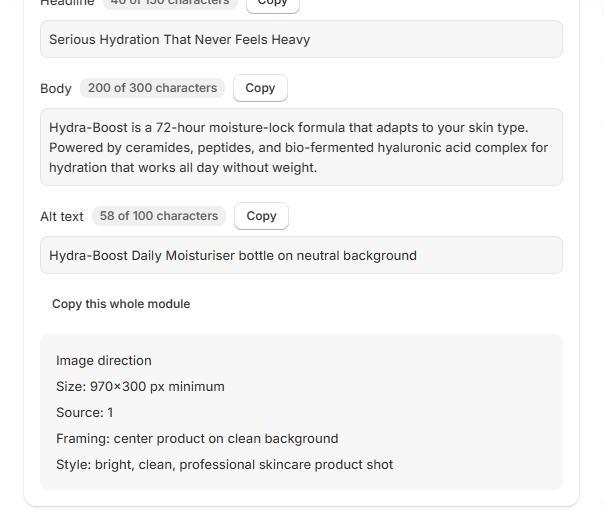
Up to five A+ modules, each with its copy fields and a live character count against Amazon's limit. Anything too long is marked in red.
For each module: the required size, which of your images to start from, how to frame it, and the style to aim for.
Wording Amazon usually rejects is listed, along with what we left out of your copy on purpose.
Every plan is saved. Copy a field, a whole module, or everything, or download it as a text file.
How it works
No copying and pasting into the app. The full guide covers every step.
You land on the generator page inside your Shopify admin. It is free, with 25 generations every month.
Search your whole catalog with Shopify's product picker. ListingForge reads the product for you.
Click Generate A+ Content. It takes about 30 to 45 seconds, and a failed run never counts.
Open A+ Content Manager, add a module for each section, and paste each field.
Inside the app
Pricing
One generation turns one product into a complete A+ Content plan. Every store gets 25 generations a month.
The allowance starts again on the first of every month.
A generation that fails never counts. Pricing details
What it does and does not do
Product details go to our content provider only to write your content. We do not sell your data, share it for any other purpose, or use it to train models. Read the privacy policy.
ListingForge is built by HWPO Always, a team that sells on Shopify and Amazon itself. If you hit a snag, a person answers within one business day.
Questions
No. ListingForge works inside your Shopify admin. You copy the output into Amazon Seller Central yourself, so an Amazon account (with Brand Registry for A+ Content) is only needed at that step.
No. It shows you the content to review and copy. Nothing goes live until you submit it in Seller Central.
Yes. There is nothing to buy and no card is needed. Each store gets 25 generations every month, and a generation that fails never counts.
Product details are sent to our content provider only to write your content, and are not used to train its models. We do not sell your data or share it for any other purpose.
Install ListingForge and try it on a product today. It is free.